
VisitWim

Own brand

VisitWim, visitor registration

Visitors check themselves in

A kiosk stands at the entrance. Visitors scan the QR code from their invitation or fill in a short form. The kiosk then calls their host, and reception sees immediately who is inside.

In the management environment you set up each kiosk separately, with its own branding, texts and steps. The kiosk works in Dutch, English and German and runs on a tablet, mini PC or Raspberry Pi.

Kiosk at the entrance

Check in with a QR code or form, check out and report parcels.

Integrations

Outlook calendar, Paxton Net2 for access control, Microsoft Entra ID for sign-in, and intercom.

Evacuation

One button puts every kiosk screen into alarm mode.

White label

Logo, colours and texts per organisation and per entrance.

Integrations

The management environment

VisitWim dashboard
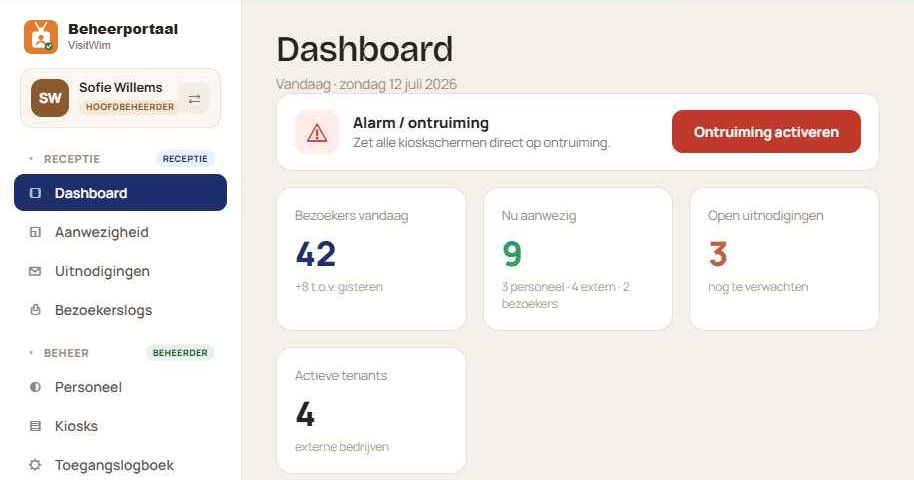
DashboardToday’s visitors, who is inside right now and open invitations. You can also start an evacuation from here.
VisitWim attendance
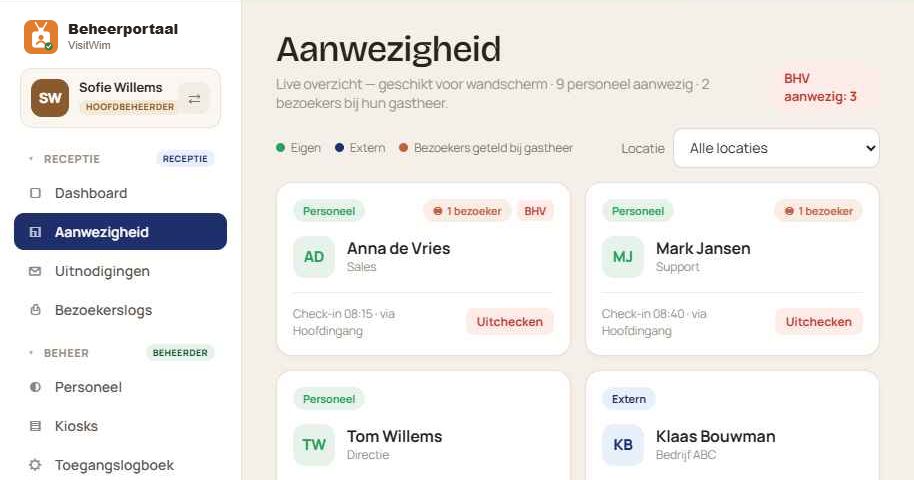
AttendanceOwn staff, contractors and visitors per location, with emergency response officers and first aiders marked.
VisitWim invitations
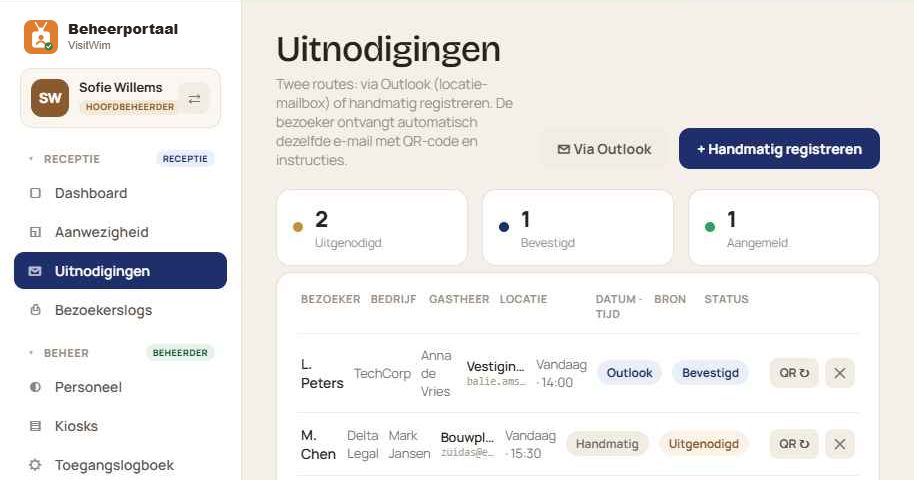
InvitationsAppointments come in via Outlook or are entered manually. The visitor receives an email with a QR code.
VisitWim kiosks
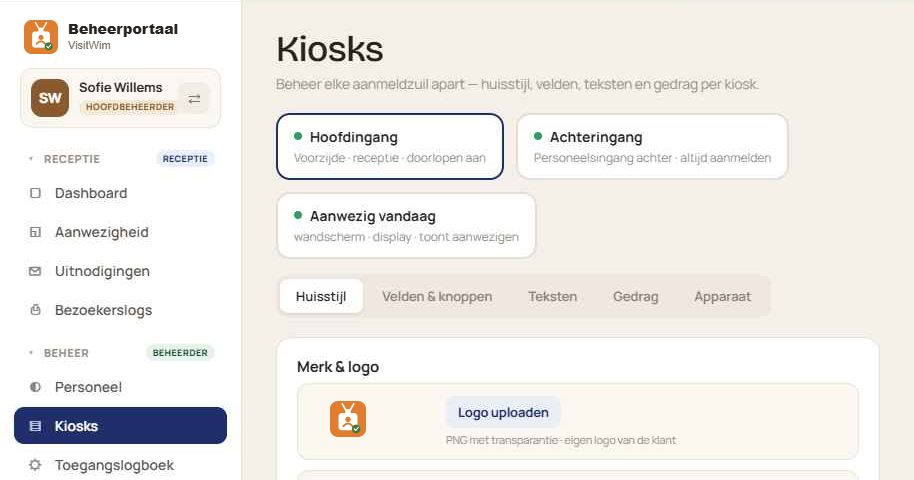
KiosksFor each entrance you set the logo, colours, fields, texts and steps, with a preview alongside.
VisitWim staff
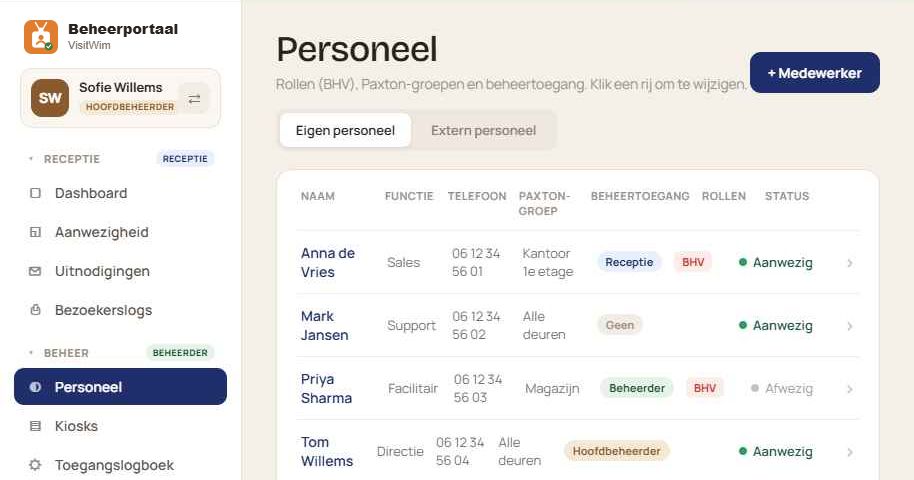
StaffJob title, door group, roles and management access per employee.
VisitWim access log
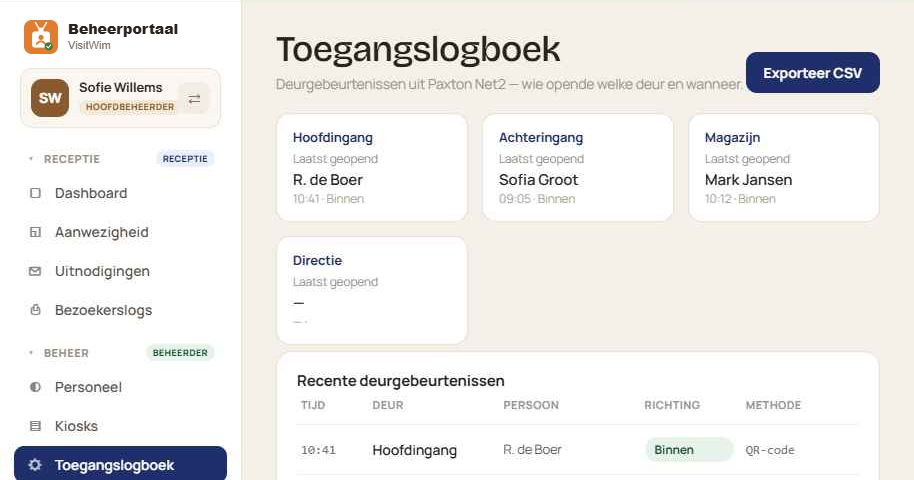
Access logWhich door was opened when and by whom, with a QR code or badge.
VisitWim reports
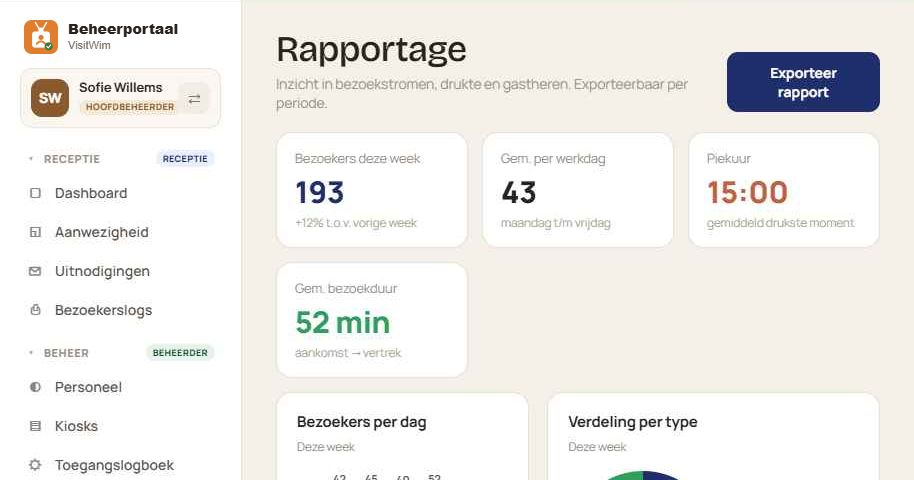
ReportsVisitor numbers, busy days and average visit duration, exportable per period.

Want to see VisitWim in action?